Neaten
Local-first notes with privacy by default. Your content stays on your device.
Windows desktop app · Stable release
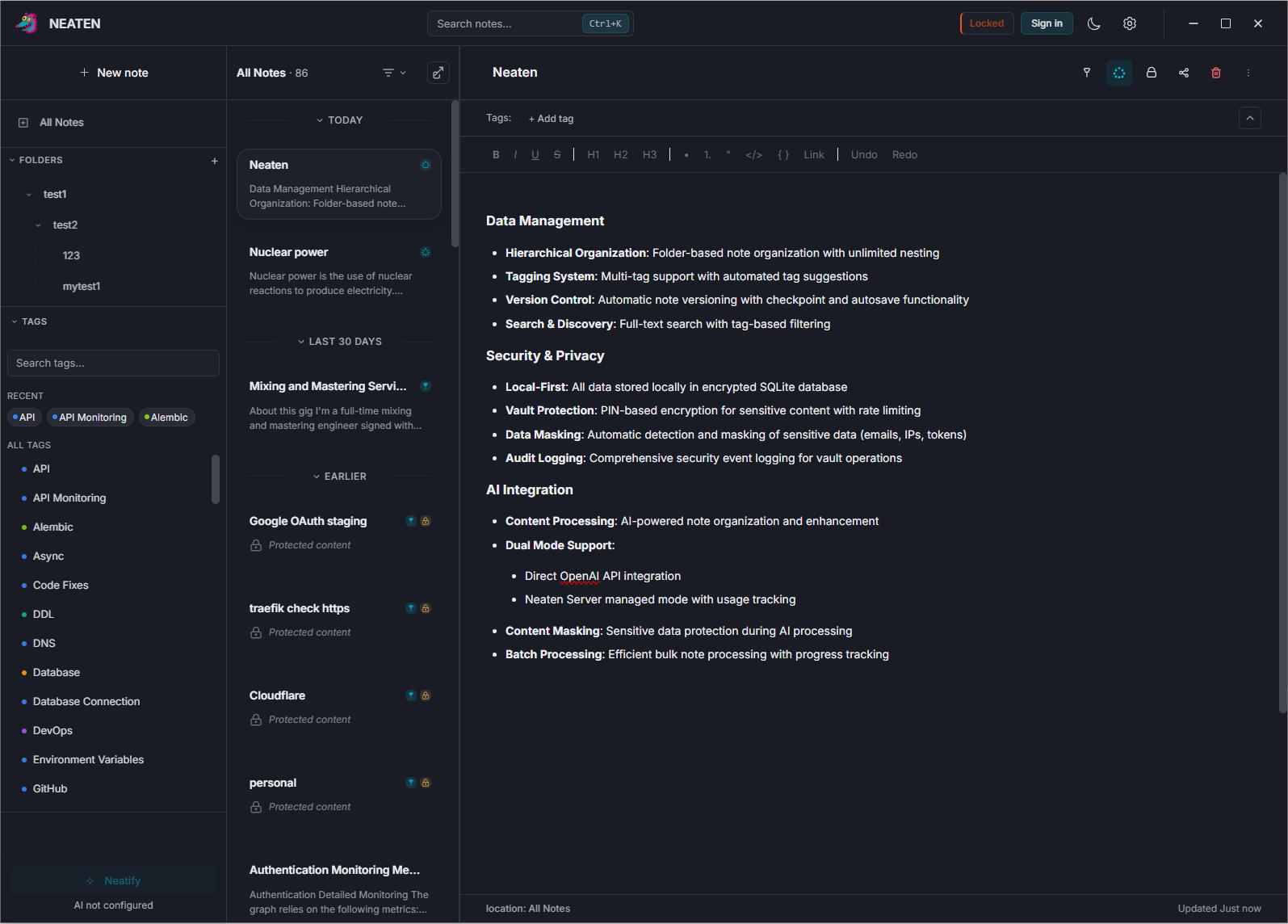
Features
Local-first
Notes and data stay on your device. Work offline without a cloud dependency.
Vault protection
Encrypt sensitive content in your vault with a PIN and optional rate limiting.
Hierarchical folders
Organize notes in nested folders so your library matches how you think.
Full-text search
Find notes quickly across your library, with tag-aware filtering.
AI optional
Turn on AI assistance when you want it—never required for everyday note-taking.
Download
Get the latest Neaten installer for Windows. The app runs locally on your computer; no account required.
Download for WindowsWindows desktop app · Stable release
FAQ
Is it free?
Yes. Neaten is free to download and use.
Does it sync?
Neaten is local-first—there is no built-in cloud sync. You can back up your vault yourself if you want copies elsewhere.
Where are notes stored?
In a vault folder on your computer. The exact path depends on how you set up Neaten on Windows.
Is AI optional?
Yes. You can use Neaten without enabling any AI features.
Which OS is supported?
Windows is supported today. Use the Download section for the latest stable installer.